
Many JAMB candidates in Nigeria face a common challenge: unreliable internet access. Data costs, network interruptions, and poor connectivity can affect study schedules and reduce productivity.
This is why many students now search for an offline JAMB app for Windows 10 and Windows 11 that allows them to study anytime and anywhere without depending on internet connectivity.
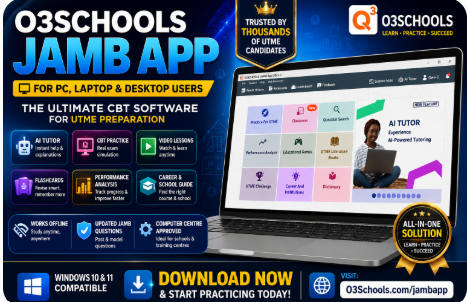
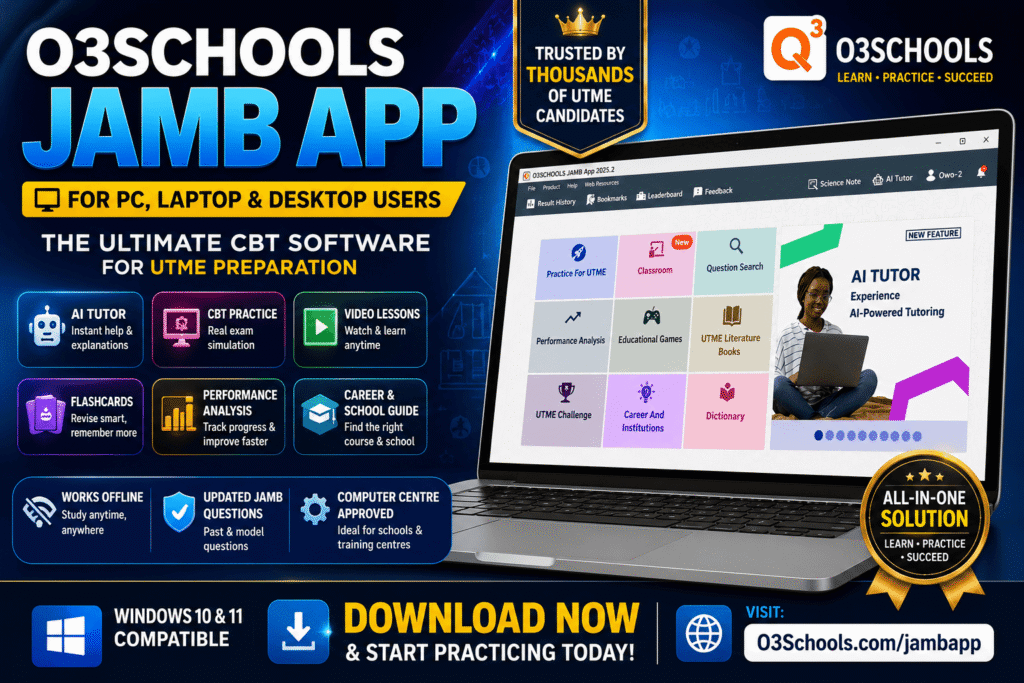
If you are looking for a powerful offline JAMB CBT software for your laptop or desktop computer, the O3SCHOOLS JAMB APP is one of the best options available.
Download the Best JAMB & WAEC CBT Apps
Table of Interests
Prepare smarter for JAMB and WAEC with O3Schools CBT Apps. Practice thousands of past questions, study offline, watch video lessons, use AI Tutor, flashcards, and detailed explanations.
JAMB CBT App for PC
Practice JAMB CBT on Windows PC, Laptop and Desktop with thousands of updated questions.
Download Now →JAMB CBT App for Android
Study offline with AI Tutor, flashcards, CBT practice, video lessons and explanations.
Download Now →JAMB CBT App for iPhone
Prepare for UTME on your iPhone or iPad with the complete JAMB CBT App.
Download Now →WAEC CBT App for PC
Prepare for WAEC with past questions, tutorials and CBT simulations.
Download Now →WAEC CBT App for Android
Offline WAEC preparation with videos, AI Tutor and thousands of practice questions.
Download Now →WAEC CBT App for iPhone
Prepare for WAEC anywhere using your iPhone or iPad.
Download Now →Free JAMB Lessons for All Subjects
Study every JAMB subject with simplified tutorials, exam tips, likely questions and detailed explanations.
JAMB Use of English
Comprehension, Lexis, Oral English, Grammar and CBT practice.
JAMB Literature
Poetry, Drama, African Prose and recommended texts.
JAMB Chemistry
Organic Chemistry, Calculations, Practical and theory lessons.
JAMB Physics
Mechanics, Electricity, Modern Physics and solved questions.
JAMB Mathematics
Algebra, Trigonometry, Calculus, Geometry and Statistics.
JAMB Government
Political Institutions, Constitution and Nigerian Government.
JAMB Biology
Ecology, Genetics, Human Physiology and Plant Biology.
JAMB Economics
Demand, Supply, National Income, Money and Inflation.
JAMB CRS
Biblical teachings, miracles, prophets and Christian doctrines.
JAMB Commerce
Business organizations, banking, insurance and trade.
What is an Offline JAMB App?
An offline JAMB app is a software application that allows candidates to:
- Practice JAMB questions
- Study lessons
- Attempt mock examinations
- Review corrections
- Track performance
without requiring constant internet access.
This means students can continue learning even when there is no network connection.
Why Students Prefer Offline JAMB Software
1. Study Anytime
You are not limited by network availability.
2. Save Data Costs
Instead of consuming internet data every day, you can access most learning materials directly from your computer.
3. Better Focus
Offline study removes distractions from social media notifications and unnecessary browsing.
4. Convenient Learning
Students can learn:
- At home
- In school
- At tutorial centres
- During travel
- During power interruptions with laptop battery backup
Why O3SCHOOLS is the Best Offline JAMB App for Windows
The O3SCHOOLS JAMB APP was developed to provide candidates with a complete learning environment.
Unlike many basic CBT apps, O3SCHOOLS combines:
- Learning
- Testing
- Revision
- Performance tracking
- Career guidance
within a single platform.
Features Available in O3SCHOOLS
Extensive JAMB Question Bank
Practice thousands of questions covering:
- English Language
- Mathematics
- Physics
- Chemistry
- Biology
- Economics
- Government
- Literature in English
- Commerce
- Geography
- CRS
- IRS
Candidates can practice by:
- Subject
- Topic
- Year
- Examination mode
Real CBT Simulation
One major advantage of O3SCHOOLS is its ability to simulate the real JAMB CBT examination environment.
Students become familiar with:
- Timer usage
- Navigation buttons
- Question review systems
- Examination pressure
This significantly boosts confidence.
AI Tutor for Instant Support
The AI Tutor feature helps candidates:
- Understand difficult topics
- Solve questions
- Learn concepts faster
- Get detailed explanations
Students no longer need to wait for a teacher before getting assistance.
Video Lessons
Many topics become easier when taught visually.
O3SCHOOLS provides video lessons that help candidates understand:
- Mathematics
- Physics
- Chemistry
- Biology
- English Language
and other UTME subjects.
Smart Flashcards
Flashcards help students revise quickly before examinations.
They are especially useful during:
- Last-minute preparation
- Daily revision sessions
- Topic reviews
Science Note
Science students benefit from the Science Note feature which helps with:
- Calculations
- Formula applications
- Problem-solving
- Scientific analysis
Rich Performance Analytics
Students can track:
- Accuracy
- Speed
- Strengths
- Weaknesses
- Progress over time
This helps them focus on areas needing improvement.
School Finder
Choosing a university can be difficult.
The School Finder helps candidates discover:
- Universities
- Polytechnics
- Colleges of Education
- Available courses
- Admission requirements
Career Guide
Students can explore careers based on:
- Interests
- Strengths
- Academic performance
This helps them make informed decisions.
Educational Games
Learning becomes more enjoyable through educational games that challenge the brain while reinforcing concepts.
Why O3SCHOOLS Works Well on Windows 10
Windows 10 remains one of the most widely used operating systems in Nigeria.
The O3SCHOOLS JAMB APP is designed to work efficiently on Windows 10 laptops and desktops, providing smooth performance and reliable access to learning resources.
Why O3SCHOOLS Works Well on Windows 11
Windows 11 users also enjoy:
- Better graphics
- Faster performance
- Improved user experience
- Enhanced compatibility
The application runs smoothly on modern Windows devices.
Who Should Use O3SCHOOLS?
The software is ideal for:
- Secondary School Students
- Repeat JAMB Candidates
- Tutorial Centres
- CBT Centres
- Parents
- Teachers
- Educational Institutions
Internal Resources You Should Read
After downloading O3SCHOOLS, also read:
JAMB Syllabus for All Subjects
Download and study the latest JAMB syllabus for every UTME subject. The syllabus outlines the official topics candidates are expected to cover before the examination and helps you prepare effectively.
Use of English Syllabus
Official JAMB syllabus for English Language.
Mathematics Syllabus
Complete topics for JAMB Mathematics.
Physics Syllabus
Official Physics syllabus for UTME candidates.
Chemistry Syllabus
Study all Chemistry topics recommended by JAMB.
Biology Syllabus
Official Biology syllabus and objectives.
Economics Syllabus
Topics and objectives for JAMB Economics.
Government Syllabus
Latest Government syllabus for UTME.
Commerce Syllabus
Prepare with the official Commerce syllabus.
Accounting Syllabus
Financial Accounting topics for JAMB.
CRS Syllabus
Christian Religious Studies syllabus.
IRS Syllabus
Islamic Religious Studies syllabus.
Literature Syllabus
Poetry, drama and prose topics.
Geography Syllabus
Complete Geography syllabus.
Agricultural Science Syllabus
Official Agricultural Science topics.
Civic Education Syllabus
Latest Civic Education syllabus.
History Syllabus
Official History syllabus for UTME.
French Syllabus
French language topics for JAMB.
Arabic Syllabus
Arabic syllabus and objectives.
Home Economics Syllabus
Topics and objectives for Home Economics.
Music Syllabus
Official Music syllabus for UTME.
JAMB Subject Combination for Popular Courses
Find the correct JAMB subject combination for your preferred course before completing your UTME registration. Choosing the right subjects helps you avoid admission issues and improves your chances of gaining admission into your desired university.
Medicine & Surgery
Correct UTME subjects and O’Level requirements.
Nursing
Approved JAMB subject combination for Nursing.
Pharmacy
Required JAMB subjects for Pharmacy.
Law
UTME subjects and admission requirements.
Computer Science
Correct subject combination for Computer Science.
Accounting
JAMB subjects for Accounting.
Business Administration
Required UTME subjects.
Mass Communication
Correct JAMB combination.
Engineering
Subject combinations for Engineering courses.
Civil Engineering
Required UTME subjects.
Mechanical Engineering
Approved JAMB subjects.
Electrical Engineering
Correct subject combination.
Architecture
Admission requirements.
Economics
UTME subjects for Economics.
Political Science
Correct subject combination.
English Language
Required UTME subjects.
Biology
Correct JAMB combination.
Microbiology
Admission requirements.
Public Administration
Required JAMB subjects.
Psychology
Correct subject combination.
Frequently Asked Questions
Does O3SCHOOLS require internet?
Many core features can be used offline after installation.
Is it suitable for Windows 10?
Yes.
Is it suitable for Windows 11?
Yes.
Can tutorial centres use it?
Absolutely.
Does it contain past questions?
Yes, along with model questions and explanations.
Final Verdict
If you need an offline JAMB app for Windows 10 or Windows 11, O3SCHOOLS offers one of the most complete solutions available.
With CBT simulation, AI Tutor, flashcards, video lessons, performance analytics, school finder tools, and offline accessibility, it provides everything needed to prepare effectively for UTME.
Download now:
https://o3schools.com/jambapp
Study Smarter. Practice Better. Score Higher.