
Download the Best JAMB & WAEC CBT Apps
Table of Interests
Prepare smarter for JAMB and WAEC with O3Schools CBT Apps. Practice thousands of past questions, study offline, watch video lessons, use AI Tutor, flashcards, and detailed explanations.
JAMB CBT App for PC
Practice JAMB CBT on Windows PC, Laptop and Desktop with thousands of updated questions.
JAMB CBT App for Android
Study offline with AI Tutor, flashcards, CBT practice, video lessons and explanations.
Download Now →JAMB CBT App for iPhone
Prepare for UTME on your iPhone or iPad with the complete JAMB CBT App.
Download Now →WAEC CBT App for PC
Prepare for WAEC with past questions, tutorials and CBT simulations.
Download Now →WAEC CBT App for Android
Offline WAEC preparation with videos, AI Tutor and thousands of practice questions.
Download Now →WAEC CBT App for iPhone
Prepare for WAEC anywhere using your iPhone or iPad.
Download Now →Have you been searching for how to accept admission on JAMB CAPS, how to reject admission on JAMB CAPS, JAMB CAPS login, JAMB CAPS admission status, JAMB CAPS portal, or how to check and accept your admission offer?
If yes, you’ve come to the right place.
Every year, thousands of candidates receive admission offers through the Joint Admissions and Matriculation Board (JAMB) Central Admissions Processing System (CAPS). However, many students are unsure whether to accept, reject, or simply wait.
This comprehensive guide explains everything you need to know about JAMB CAPS, including how to check your admission status, accept or reject an admission offer, use CAPS on your phone, understand different admission messages, and avoid mistakes that could affect your admission.
Whether you’re seeking admission into a university, polytechnic, college of education, or any other tertiary institution in Nigeria, this guide will walk you through every step.
Quick Answer
Can I accept or reject my admission on JAMB CAPS?
Yes. Once JAMB or your institution offers you admission through CAPS, you can log in to your JAMB profile, check your admission status, and either Accept Admission or Reject Admission. Your decision is important because it affects your admission process.
What Is JAMB CAPS?
JAMB CAPS stands for Central Admissions Processing System.
It is an online admission platform created by the Joint Admissions and Matriculation Board (JAMB) to make the admission process more transparent, fair, and efficient.
Instead of institutions processing admissions independently, every admission now passes through CAPS.
Through this platform, candidates can:
- Check their admission status.
- Accept or reject admission offers.
- Monitor admission progress.
- View transfer approvals.
- Track admission recommendations.
- Print admission-related documents.
Simply put, CAPS is where your JAMB admission journey is managed.
Why Is JAMB CAPS Important?
JAMB CAPS plays a major role in Nigeria’s admission process.
It helps candidates:
- Know whether they have been offered admission.
- Accept or reject admission online.
- Monitor admission progress.
- Prevent multiple admissions.
- Ensure admissions are processed fairly.
Without JAMB CAPS, many candidates would not know the true status of their admission.
Should You Accept or Reject Your Admission?
This is one of the most common questions candidates ask.
The answer depends on your situation.
If you’ve been offered admission into the institution and course you truly want, you should generally accept the offer so your admission can proceed.
However, if you are certain you do not want the institution or course offered, you may choose to reject the admission.
O3Schools Tip
Never click Accept Admission or Reject Admission unless you fully understand the consequences. Take a few minutes to review your admission details before making your decision.
What Happens If You Accept Admission?
When you click Accept Admission, you are confirming that you wish to study the course and institution offered to you.
After accepting admission, you can proceed with other admission activities, including:
- Printing your JAMB Admission Letter.
- Printing your Original JAMB Result.
- Paying acceptance fees (where applicable).
- Completing school clearance.
- Registering for courses.
Accepting admission is usually the next step toward becoming a student of the institution.
What Happens If You Reject Admission?
Rejecting admission means you have declined the offer presented to you.
Candidates should not reject admission carelessly.
Before rejecting any admission offer, make sure you understand how it may affect your admission process and whether your preferred institution or course is still a realistic option.
If you are unsure, seek guidance before making your decision.
How to Check Your JAMB Admission Status
Before you can accept or reject admission, you must first confirm whether you have been offered admission.
Follow these steps:
Step 1 — Visit the JAMB e-Facility Portal
Go to the official JAMB e-Facility portal.
Step 2 — Sign In
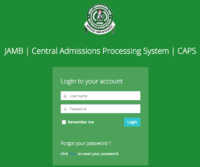
Log in using the email address and password linked to your JAMB profile.
Step 3 — Open Admission Status
Locate the Admission Status section in your profile.
Step 4 — View Your Admission
If your institution has offered you admission, your admission details will appear.
If not, continue checking regularly.
How to Accept Admission on JAMB CAPS Using a Computer
If you’re using a laptop or desktop computer, follow these steps.
Step 1
Visit the official JAMB e-Facility portal.
Step 2
Log in using your registered email address and password.
Step 3
Open the CAPS Admission section.
Step 4
Click Admission Status.
Step 5
Load your admission details.
Step 6
If you’ve been offered admission, you’ll see the Accept Admission and Reject Admission buttons.
Step 7
Click Accept Admission if you’re satisfied with the offer.
Step 8
Confirm your choice.
Your admission status will be updated after successful processing.
How to Accept Admission on JAMB CAPS Using Your Phone
You can also use a smartphone.
Because the mobile version of some browsers may not display all CAPS features, you may need to switch to Desktop Site.
Follow these steps:
- Open your preferred browser.
- Visit the official JAMB e-Facility portal.
- Log in to your account.
- Enable Desktop Site from your browser menu if necessary.
- Open CAPS.
- Click Admission Status.
- View your admission details.
- Accept or reject the admission if the option is available.
Can’t See the Accept Admission Button?
Don’t panic.
There are several reasons why the button may not appear.
Your Admission Has Not Been Uploaded
Your institution may still be processing admissions.
Continue checking.
JAMB Has Not Updated CAPS
Sometimes schools release admission lists before CAPS is updated.
Wait patiently.
You’re Using Mobile View
Switch your browser to Desktop Site and refresh the page.
Your Institution Has Not Recommended You Yet
Admission processing may still be ongoing.
Keep monitoring your CAPS dashboard.
Common JAMB CAPS Messages Explained
Not Admitted
You have not yet received an admission offer.
Continue checking.
Admission in Progress
Your admission is still being processed.
No action is required yet.
Recommended
Your institution has recommended you for admission.
Wait for JAMB to complete processing.
Admission Offered
Congratulations!
You can now accept or reject the admission.
Admission Accepted
You have successfully accepted your admission.
You may now proceed with the next admission steps.
What Is the JAMB CAPS Marketplace?
The CAPS Marketplace is a feature that allows institutions to consider candidates who may qualify for admission but did not originally choose the institution.
If an institution expresses interest in admitting you through CAPS Marketplace, you may receive a notification.
Depending on JAMB’s current admission procedures, you may need to complete additional requirements—such as a Change of Institution—before the admission can be finalized.
Always follow the latest official guidance from JAMB and your prospective institution.
What Should You Do After Accepting Admission?
After accepting your admission, don’t stop there.
You should also:
- Print your JAMB Admission Letter.
- Print your Original JAMB Result Slip.
- Monitor your institution’s admission portal.
- Pay your acceptance fee if required.
- Complete your clearance process.
- Register for your courses.
- Stay informed about resumption dates.
Completing these steps promptly will help you avoid unnecessary delays.
Frequently Asked Questions (FAQs)
Is Accepting Admission on JAMB CAPS Free?
Yes.
You do not pay JAMB to accept or reject an admission offer through CAPS.
Can I Accept Admission Using My Phone?
Yes.
You can use your smartphone, but switching your browser to Desktop Site may provide the best experience.
Can I Accept Admission More Than Once?
No.
Once your admission has been processed, there is no need to accept it again.
What If I Accidentally Reject My Admission?
If you mistakenly reject your admission, contact JAMB or your institution immediately for guidance. Whether the decision can be reversed depends on JAMB’s current policies and the stage of the admission process.
My School Offered Me Admission, But CAPS Says “Not Admitted.” What Should I Do?
This usually means CAPS has not yet been updated.
Wait patiently and continue checking your profile.
How Often Should I Check JAMB CAPS?
During the admission season, it’s a good idea to check your CAPS dashboard regularly so you don’t miss important updates.
Prepare for the Next Stage with O3Schools
Free JAMB Lessons for All Subjects
Study every JAMB subject with simplified tutorials, exam tips, likely questions and detailed explanations.
JAMB Use of English
Comprehension, Lexis, Oral English, Grammar and CBT practice.
JAMB Literature
Poetry, Drama, African Prose and recommended texts.
JAMB Chemistry
Organic Chemistry, Calculations, Practical and theory lessons.
JAMB Physics
Mechanics, Electricity, Modern Physics and solved questions.
JAMB Mathematics
Algebra, Trigonometry, Calculus, Geometry and Statistics.
JAMB Government
Political Institutions, Constitution and Nigerian Government.
JAMB Biology
Ecology, Genetics, Human Physiology and Plant Biology.
JAMB Economics
Demand, Supply, National Income, Money and Inflation.
JAMB CRS
Biblical teachings, miracles, prophets and Christian doctrines.
JAMB Commerce
Business organizations, banking, insurance and trade.
Admission is only the beginning of your academic journey.
O3Schools keeps you informed with:
- Admission lists
- Post-UTME updates
- School cut-off marks
- JAMB CAPS updates
- JAMB Admission Letter guides
- Original Result Slip guides
- Acceptance fee updates
- Freshers’ registration guides
- Scholarship opportunities
Stay connected with O3Schools for accurate and timely education updates.
Final Thoughts
JAMB CAPS is one of the most important platforms every admission seeker should understand.
By checking your admission status regularly, understanding what each CAPS message means, and taking the appropriate action when an admission offer arrives, you can complete your admission process with confidence.
Remember, never rush to accept or reject an admission offer without first confirming that it aligns with your academic goals.
Bookmark this page and check back regularly. O3Schools will continue updating this guide with the latest verified information on JAMB CAPS, admission status, and the Nigerian admission process.
Latest JAMB News & Updates
Stay informed with the latest JAMB news, registration updates, examination announcements, admission policies, result checking guides, and official notices to help you succeed in your UTME journey.
Latest JAMB News Today
Read the latest JAMB announcements, official updates, and breaking education news for UTME candidates.
Read Updates →JAMB Registration Guide
Everything you need to know about JAMB registration, profile creation, NIN, approved CBT centres and deadlines.
Read Guide →JAMB Exam Date
Find the latest UTME examination timetable, schedules, mock exam dates and important deadlines.
View Details →JAMB Slip Reprinting
Learn how to print your examination slip and locate your CBT examination centre.
Learn More →Check JAMB Result
Step-by-step guide on checking your UTME result online or via SMS without stress.
Check Guide →JAMB CAPS Portal
Accept or reject admission offers and monitor your admission status through JAMB CAPS.
Open Guide →JAMB Cut-Off Marks
See the latest cut-off marks for universities, polytechnics, colleges of education and nursing schools.
See Cut-Off Marks →JAMB Subject Combination
Find the correct UTME subject combination for every university course in Nigeria.
View Subjects →JAMB Syllabus
Download the latest JAMB syllabus for every subject and prepare according to the official curriculum.
Download Syllabus →JAMB Brochure
Explore courses, admission requirements and institutions approved by JAMB.
Browse Brochure →JAMB Registration Guides & Tutorials
Follow our step-by-step JAMB registration guides to complete every stage of the UTME registration process successfully. Learn how to create your JAMB profile, generate your profile code, link your email, correct mistakes, and prepare for the examination without stress.
How to Register for JAMB
Complete step-by-step guide to registering for the Unified Tertiary Matriculation Examination (UTME).
Read Guide →Create JAMB Profile
Learn how to create your JAMB profile correctly before purchasing the registration form.
Learn More →Generate JAMB Profile Code
Generate your JAMB profile code using your NIN and complete your registration successfully.
View Steps →Link Email to JAMB Profile
Connect your email address to your JAMB profile for CAPS, admission, and other services.
Read Tutorial →Retrieve JAMB Profile Code
Forgot or lost your JAMB profile code? Learn how to retrieve it quickly.
Recover Now →JAMB Change of Course & Institution
Change your preferred course or institution after the UTME using the official process.
Read Guide →JAMB Data Correction
Correct your name, date of birth, gender, state of origin, passport and other details.
Learn More →Reset JAMB Password
Recover or reset your JAMB portal password and regain access to your account.
Reset Password →Approved JAMB CBT Centres
Find accredited CBT centres for registration, mock examination, and UTME nationwide.
Find Centres →JAMB Frequently Asked Questions
Get answers to common questions about registration, profile code, examination, results, and admission.
View FAQs →
good evening i applied for this schoo, but i have not seen any replay yet
my jamb score is 159
Have been given admission but I can’t see it in my jamb caps please what should I do
How did you check
I applied for political science/international relation, and i scored 220 in jamb and 23 in utmost, please what is my chances of getting admission?
pls I score 19 in my post utme is hope of admission for me
Am waiting for Admission…please and I score 166 in jamb and also 49 in Post utme
do unical accept maths for pub admin
How can I check my admission through school portals
School gave me admission but jamb didn’t offer me cause I didn’t upload my o levels result on time
I want to chech my admission
Does Uniabuja releases 4th list?
I have not been given admission I .I score 195.
I have not been given admission
Have not been offered admission I scored 188, for chemistry educations hat could be the problem
I applied uni abuja with cut off of 212 and i was not offered admission
I applied unimaid but I have not been given admission yet